%22%3E%3C%2Fpath%3E%3C%2Fsvg%3E)
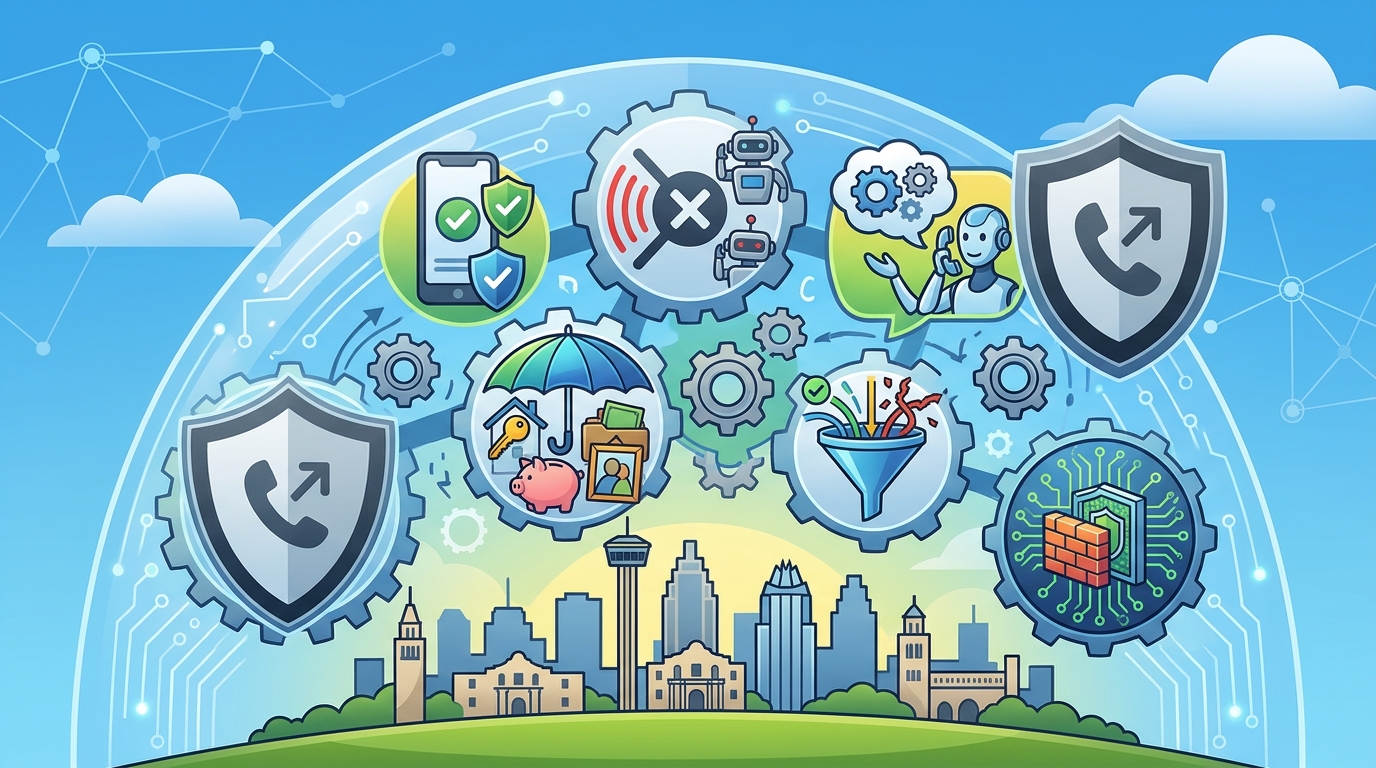
PhoneShield.ai provides a comprehensive scam call shield for families in San Antonio, Texas, by intercepting fraudulent calls before they ring. The platform combines caller ID verification, automatic blocking, and AI screening to protect parents and loved ones. This guide details the six core features that make up the PhoneShield ecosystem.
Caller ID Verification
Caller ID verification is the process of validating the authenticity of the number displayed on a phone screen before a call is answered. In the context of modern fraud, this is not just about seeing a name; it is about confirming that the carrier actually sent the call from that specific number. PhoneShield integrates with industry-standard verification protocols to ensure that the identity of the caller matches the source of the signal.
STIR/SHAKEN and Attestation Levels
The telecommunications industry uses the STIR/SHAKEN framework to sign calls with cryptographic tokens. These tokens allow the receiving network to verify if the caller ID has been spoofed. PhoneShield analyzes these attestation levels to identify calls that are likely to be fraudulent. If a call lacks the proper signature or carries a low-confidence attestation, the system flags it for further scrutiny.
Why Verification Matters in San Antonio
San Antonio residents, like many in the United States, are targeted by scammers who use spoofing technology to mimic local area codes. By verifying the call's origin, PhoneShield prevents these fake local numbers from reaching your family's phone. This layer of defense is critical because it stops the fraud at the network level, before the human element of the conversation begins.
Automatic Call Blocking
Automatic call blocking is a feature that uses a shared database of known scam numbers to refuse calls before they can ring the user's device. Traditional blocking apps rely on users reporting numbers individually, which is a slow and incomplete process. PhoneShield takes a proactive approach by maintaining a real-time list of numbers that have been confirmed as scams by its user base and regulatory complaint data.
The Shared Scam List
PhoneShield operates on a collective defense model. When a user identifies a number as a scam, that data point is added to a shared list that protects every other customer on the platform. This means that if a scammer targets one family in San Antonio, the entire PhoneShield network is protected against that specific number. The system updates this list continuously, ensuring that new threats are blocked within minutes of being reported.
Refusal Before Answer
Unlike standard spam filters that might just label a call, PhoneShield actively refuses the connection. The call is terminated before the phone rings, saving the user from the stress of hearing a scammer's voice. This is particularly important for elderly parents who may be more susceptible to social engineering tactics. The refusal is silent and immediate, providing a seamless experience for the legitimate user.
Family Dashboard Alerts
A family dashboard is a centralized interface where multiple family members can monitor the call activity of a protected phone. For families in San Antonio looking to protect aging parents, this feature provides peace of mind by offering visibility into what is happening on the phone. The dashboard displays a log of all calls, categorized by their outcome: blocked, screened, or answered.
Real-Time Notifications
Family members can receive alerts when a call is blocked or when a message is left. These notifications can be sent via email or push notifications to the family's own devices. This allows children to stay informed about the types of scams their parents are encountering without having to constantly check the phone. The alerts include the number that called and the reason it was blocked, providing context for the family.
Weekly Summaries
In addition to real-time alerts, the dashboard provides weekly summaries of call activity. These summaries highlight trends, such as an increase in calls from a specific area code or a rise in scam attempts. This data helps families understand the broader threat landscape and adjust their protective measures accordingly. The dashboard is accessible from any web browser, making it easy for family members to check in on their loved ones from anywhere.
Voicemail Routing
Voicemail routing is the process of directing calls that are not answered or are screened to a digital assistant that can take a message. PhoneShield includes an AI assistant named Nora, who can answer calls, take messages, and even answer simple questions on behalf of the user. This feature ensures that legitimate callers are not lost in the void of a busy or silent phone.
Nora the Assistant
Nora is a natural-sounding AI voice that interacts with callers in a conversational manner. She can ask for the caller's name and reason for calling, then relay that information to the user. If the caller is a known contact, Nora can simply take a message. If the caller is a stranger, Nora will screen them based on the user's settings. This allows the user to prioritize their time and only engage with calls that are truly important.
Message Transcripts
Every message taken by Nora is transcribed and sent to the user's dashboard. This provides a written record of the conversation, which is easier to review than listening to audio. The transcripts are searchable, allowing users to quickly find specific messages. This feature is particularly useful for business owners or professionals who need to keep track of inquiries and appointments.
Custom Allow and Block Lists
Custom allow and block lists are user-defined lists of phone numbers that are either always allowed to ring through or always blocked. These lists give users granular control over who can reach them. PhoneShield allows users to import their existing contacts and mark specific numbers as favorites, ensuring that important calls are never missed.
Managing Favorites
Users can designate specific numbers as favorites, such as family members, doctors, or close friends. These numbers will always ring through, even if they are not in the user's contact list. This is useful for numbers that may not be saved, such as a new doctor's office or a service provider. The favorites list is synced across all devices, ensuring that the user's preferences are consistent.
Blocking Specific Numbers
In addition to the automatic blocking of known scams, users can manually add numbers to a block list. This is useful for dealing with persistent telemarketers or unwanted calls from specific individuals. The block list is separate from the shared scam list, allowing users to maintain their own personal boundaries. Users can easily remove numbers from the block list if they change their mind.
AI Conversation Screening
AI conversation screening is a feature that uses natural language processing to analyze the content of a call in real-time. This goes beyond simple number blocking by understanding the intent of the caller. PhoneShield's AI can detect common scam scripts and social engineering tactics, allowing it to intervene before the user is manipulated.
Script Detection
The AI is trained on a vast library of known scam scripts, including those used in Medicare fraud, grandchild emergencies, and bank impersonation scams. When a caller uses these scripts, the AI can flag the call as suspicious and either block it or route it to the user with a warning. This layer of defense is critical for protecting users who may be vulnerable to emotional manipulation.
Contextual Awareness
The AI also considers the context of the call, such as the time of day and the caller's tone. This allows it to make more accurate decisions about whether a call is legitimate or fraudulent. For example, a call from a known number at an unusual time might be flagged for review. The AI's decisions are transparent, and users can see the reason for each screening decision in the dashboard.
Key Takeaways
- PhoneShield uses caller ID verification to detect spoofed numbers before they ring.
- Automatic call blocking relies on a shared list of confirmed scam numbers.
- The family dashboard provides real-time alerts and weekly summaries of call activity.
- Nora, the AI assistant, can take messages and answer simple questions on your behalf.
- Custom allow and block lists give users granular control over who can reach them.
- AI conversation screening detects scam scripts and social engineering tactics.
- The service is designed to protect elderly parents and families in San Antonio and beyond.
- PhoneShield offers a flat monthly price with no hidden fees or contracts.
Frequently Asked Questions
Does PhoneShield work on landlines in San Antonio?
Yes, PhoneShield can be set up on landlines by forwarding calls to the PhoneShield number. This allows the same level of protection for home phones as for mobile devices.
Can I keep my existing phone number?
Yes, you keep your existing phone number. PhoneShield assigns you a new number to which you forward your calls. Your contacts do not need to change anything.
How much does PhoneShield cost?
Does PhoneShield listen to my calls?
PhoneShield transcribes calls to provide you with a written record. It does not keep audio recordings. The transcripts are used to improve the AI's screening capabilities.
What if a scammer uses a new number?
PhoneShield's AI conversation screening can detect scam scripts even on new numbers. This allows it to block calls that would not be caught by number-based blocking alone.
Can I use PhoneShield on an Android phone?
Yes, PhoneShield is available on both iPhone and Android. The Android app is currently in testing, but the service works on any phone that can forward calls.
How do I set up PhoneShield for my parent?
You can set up PhoneShield for your parent by forwarding their phone to your PhoneShield number. The setup takes about ten minutes and does not require your parent to install any new apps.
Does PhoneShield block all spam calls?
PhoneShield blocks known scam numbers and screens all other calls. While it cannot guarantee that every spam call will be blocked, it significantly reduces the number of unwanted calls you receive. Learn more: Contact us PhoneShield ai.